

Exam weeks are when distractions cost the most and willpower runs lowest. The setup below takes about ten minutes. You make the hard decisions once, on a calm evening, and Scrules holds to them when you’re tired and tempted.
1. List what pulls you away
Start with a block list. Add the obvious apps, then the categories they belong to, so a new app you install mid-revision is covered too. Add the websites you reach for when the app is blocked. Give the list a name you’ll recognise, like “Exam distractions”.
2. Block study hours on Hard
Create a rule with a schedule that matches your study blocks, for example:
- 09:00–13:00, Monday to Friday
- 14:00–18:00, Monday to Friday
- 10:00–13:00 on Saturday
Set strictness to Hard. There are no skips and no resets on Hard, so the only way through is to wait until the block ends.
3. Leave room for messages
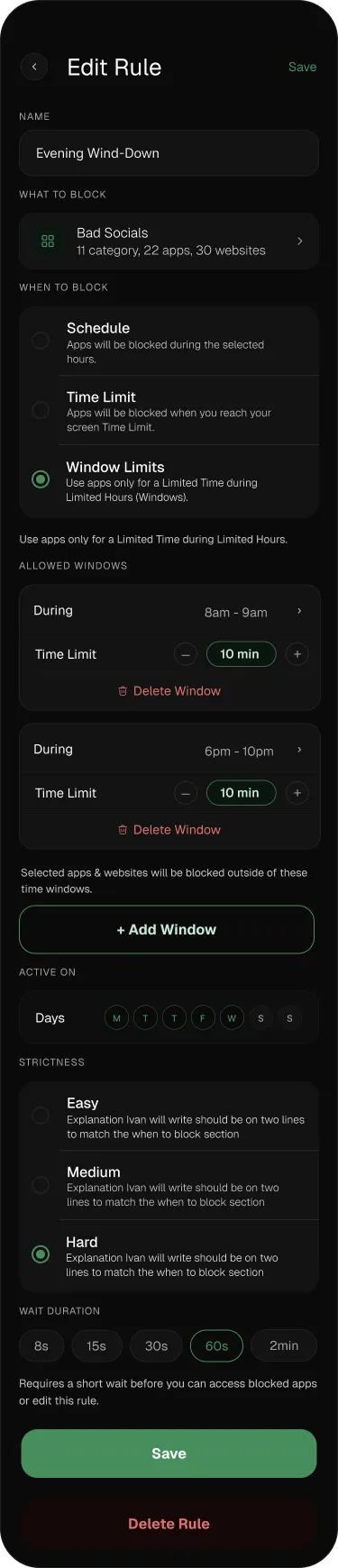
Cutting off every app can backfire when friends or classmates need to reach you. A Window Limits rule lets you open messaging apps only inside set windows, with a time limit in each. Two windows a day, such as 13:00–14:00 and 19:00–20:00 with ten minutes each, is usually enough.
4. Plan the days after
When exams end, switch to your Vacation policy with lighter rules. Policy switches apply from the next day, so set it up on the evening of your last exam and wake up to the new rules.
If you need your phone in an emergency
An Emergency Pass unlocks everything for a limited time, then your rules apply again on their own. Keep it for real emergencies.
Try this setup in Scrules.
Schedules, windows and Hard mode are all in the app.
Download on the App Store